Last updated: Monday 5 October 2026 (Europe/London).
Next update: when BT changes the price or terms of Full Fibre 900, or Ofcom changes its switching or price-rise rules.
By: Switch Editorial Team, Switch Squid Ltd
As of 5 October 2026, the best broadband for working from home in the UK is a full fibre connection with steady upload speed and a wired desk — and where Openreach full fibre reaches your address, BT Full Fibre 900 was listed at £45.99 a month when we checked, with speeds up to 900Mbps for households where two or more people are on video calls at once. A single home worker can often manage on a lower full fibre tier; the key is upload and reliability, not the biggest download number. We may earn a commission if you buy through our links.
Sources: Zoom — system and bandwidth requirements, Ofcom — your right to request decent broadband, Ofcom — switching broadband provider and BT’s Full Fibre 900 order page checked 5 October 2026.
BT Full Fibre 900 — for busy work-from-home households
- Listed at £45.99 a month when we checked on 5 October 2026
- Full fibre to the home with speeds up to 900Mbps
- Suits two or more people on video calls, plus streaming and cloud backups
- Main limitation: only available where Openreach full fibre reaches your address; confirm contract length, set-up costs and any price rises in pounds and pence before you order
What working from home actually asks of your broadband
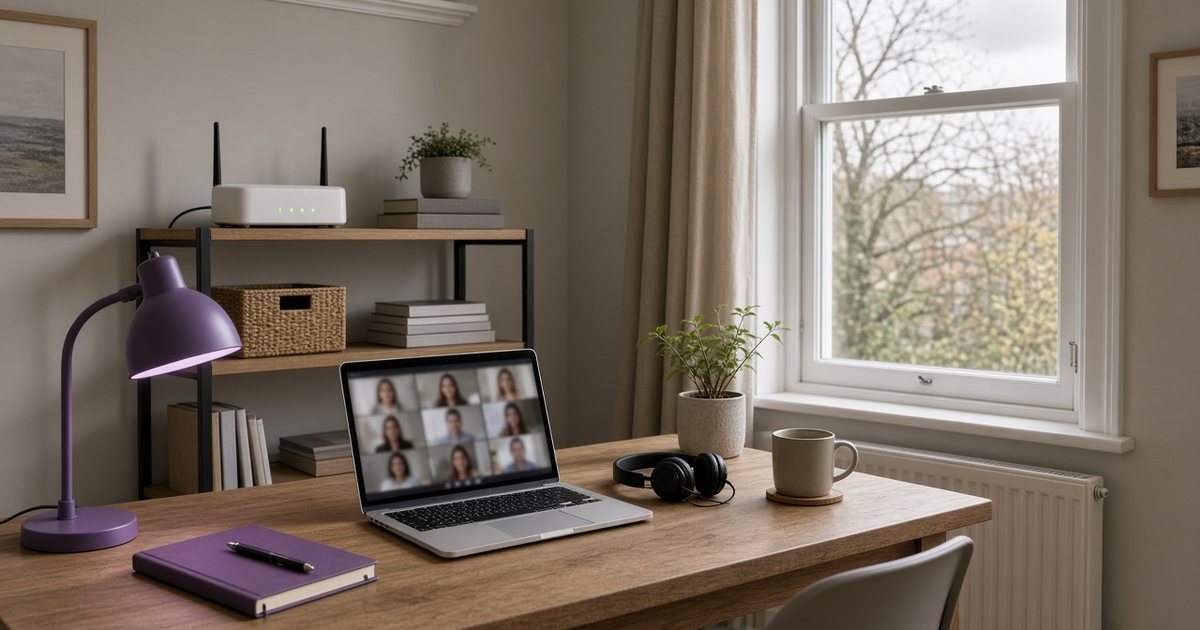
Home working puts a different kind of load on a connection than evening streaming does. Films and TV mostly pull data down. A working day sends a steady stream back up: your camera and microphone on calls, files saved to shared drives, screen sharing, and cloud backups running in the background. If several people do this at once, the upload side of the line is usually the first thing to struggle.
Reliability matters just as much. A connection that is fast most of the time but drops for a minute every afternoon is worse for work than a slightly slower one that never blinks. Frozen video, robotic audio and being thrown out of a meeting are usually signs of an unstable connection or weak wifi, not a lack of download speed.
For a sense of scale, Ofcom’s legal minimum for “decent” broadband under the universal service obligation is 10Mbps download and 1Mbps upload. That is enough to get online, but most home workers need more upload headroom than that.
Speed per person: a simple way to plan
Zoom publishes the bandwidth its calls use. For a group video call it lists about 2.6Mbps upload and 1.8Mbps download for 720p HD video, and about 3.8Mbps upload and 3.0Mbps download for 1080p HD. Other video tools are broadly similar. Those figures are per person on a call, before anything else in the house is using the connection.
| Household | Upload used by video calls alone (1080p, Zoom figures) | What else is likely running | Sensible starting point |
|---|---|---|---|
| One person working from home | About 3.8Mbps | Email, shared documents, the odd large upload | An entry-level full fibre tier is usually plenty |
| Two people on calls at the same time | About 7.6Mbps | File sync, a second laptop, phones on wifi | A mid-range full fibre tier with a good upload figure |
| Two workers plus children or students at home | About 7.6Mbps for calls, plus school or university video | Streaming, gaming downloads, smart TVs | A higher full fibre tier such as 500Mbps–900Mbps |
| Home business or content creator | Calls plus large file or video uploads | Cloud backups, client file transfers | The fastest full fibre tier you can get, with a strong upload figure |
These are planning figures, not guarantees. Allow plenty of headroom above the numbers in the table, because the line also carries phones, TVs, updates and backups that nobody thinks about until a call starts to stutter. When you compare packages, look at the minimum guaranteed speed and the upload figure on the order page, not just the headline download.

Where BT Full Fibre 900 fits
BT Full Fibre 900 is built for the busiest homes. Choose it when two or more people regularly share the line during working hours, when you upload large files or video, or when evenings bring streaming and gaming on top of the work traffic. At the listed £45.99 a month it costs £551.88 over 12 months before any set-up charges, so check the order summary for the full figure and the contract length.
If you are the only person working from home and nobody else is online during the day, a cheaper full fibre tier may do the job just as well. Our comparison of 500Mbps vs 900Mbps broadband walks through when the extra speed is worth paying for, and our guide to upload speed explains how to read upload figures on an order page.
BT Full Fibre 900 — £551.88 over 12 months at the listed price
- £45.99 a month, plus any set-up charge shown at checkout
- Headroom for several people on video calls at the same time
- Check the contract length and the upload figure for your address on the order page
Wired or wifi: the cheapest upgrade most home workers can make
Before paying for a faster package, plug in. An ethernet cable from the router to your work laptop removes most of the problems people blame on their broadband: interference from neighbours’ networks, thick walls, and devices competing for airtime. If your laptop has no ethernet port, a USB-C ethernet adapter costs far less than a package upgrade.
If a cable is not practical, these steps help:
- Use the 5GHz band for your work laptop where your router offers it. It is faster over short distances; 2.4GHz reaches further but is more crowded.
- Move the router out of cupboards and away from the floor, and keep it clear of metal objects and fish tanks.
- Consider mesh wifi or a powerline adapter if your desk is far from the router or on another floor.
- Restart the router during a quiet time if it has been running for months, and check for firmware updates.
Then test. Run a speed test at your desk at the times you usually work, both on wifi and on a cable. If the wired result is fine and the wifi result is poor, the fix is inside your home, not with your provider.
Reliability: planning for the day it goes down
Every connection has an outage eventually, so a little preparation saves a stressful morning.
- Keep a mobile backup. Check that your phone plan allows hotspotting and has enough data for a few hours of calls. A 5G or 4G hotspot can keep you in meetings while a fault is fixed.
- Know how to report a fault. Save your provider’s fault line and account number somewhere you can reach without the internet.
- Use the service checker first. Most providers show local outages online or in their app, which saves time on hold.
- Tell your employer what your backup is. Many teams are relaxed about switching to audio-only during an outage if they know in advance.

Home broadband or business broadband?
Most people working from home for an employer are well served by home broadband. Business packages tend to add things such as a static IP address, faster fault-repair commitments and dedicated support lines, which matter more if you run a business from home and customers depend on your connection. They usually cost more and come with business contract terms.
A practical test: if an outage would only cost you an awkward meeting, a good home full fibre package plus a mobile backup is usually enough. If an outage would stop you taking payments or serving clients, compare business packages and read their repair commitments closely.
Switching without a gap in service
Under Ofcom’s One Touch Switch process, you contact only the new provider and it manages the move, including telling your old provider. Ofcom says your old service should not stop until the new one is working, with no more than one working day without service. Order a few weeks before your current contract ends to avoid early-exit fees, and book the switch for a day without important calls.
Fit summary
Good for: households where two or more people work from home, or where daytime work traffic meets evening streaming and gaming.
Consider alternatives: a lower full fibre tier if you are the only home worker and the line is quiet during the day.
Not for: addresses without Openreach full fibre, where you will need to check other networks first.
Important conditions
- The £45.99 monthly price was listed on 5 October 2026 and can change. Check the order summary.
- Availability, speeds and set-up costs depend on your address.
- Contract length and any mid-contract price rises are shown at checkout; new contracts must show rises in pounds and pence.
- Video call bandwidth figures come from Zoom’s published requirements and are a guide, not a guarantee.
- Wifi performance depends on your home layout and devices.
- We may earn a commission if you buy through our links.
Final decision card
Two or more home workers on calls → full fibre with strong upload; BT Full Fibre 900 at £45.99 a month if it reaches your address.
One home worker on a quiet line → a cheaper full fibre tier plus an ethernet cable.
Calls keep freezing on a fast package → test wired first; the fix may be your wifi, not your provider.
Check BT Full Fibre 900 at your address
- Enter your postcode to confirm full fibre is available
- Check the monthly price, contract length and upload figure on the order page
- Plan the switch for a day without important calls
FAQ
What broadband speed do I need to work from home?
It depends on how many people are on calls at once. Zoom lists about 3.8Mbps upload per person for a 1080p group video call, so two people need around 7.6Mbps of upload before anything else. Full fibre with plenty of headroom above that is the safest choice.
Is upload speed more important than download for home working?
For video calls and saving files to the cloud, upload is often the limit you hit first. Download still matters for streaming and large downloads. Check both figures on the order page.
Is a wired connection better than wifi for video calls?
Usually, yes. An ethernet cable avoids interference and distance problems that cause frozen video and dropped audio. If you cannot run a cable, use the 5GHz band, move the router, or add mesh wifi.
Is BT Full Fibre 900 worth it for working from home?
It is worth considering when two or more people work from home or the household is busy all day and evening. It was listed at £45.99 a month on 5 October 2026. A single home worker may be fine on a cheaper full fibre tier.
Do I need business broadband if I work from home?
Most employees working from home do not. Business packages add features such as a static IP address and faster repair commitments, which matter most if you run a business that depends on the connection.
Will I lose my connection when I switch broadband provider?
Under Ofcom’s One Touch Switch process, your new provider manages the move and your old service should not stop until the new one works. Ofcom says any loss of service should be no more than one working day.
What can I do if my broadband goes down during a work call?
Switch to a mobile hotspot if your phone plan allows it, check your provider’s outage checker, and report the fault. Keeping your provider’s fault number saved offline makes this quicker.