
Last updated: Monday 12 October 2026.
SIM-only is the easiest way to cut your phone bill, but there are hundreds of plans and the cheapest monthly price isn't always the cheapest deal. Squid AI is the free AI deal finder built into Switch. You tell it how much data you need and what you want to pay, and it searches the SIM-only plans we list and shows you the ones that fit.
This guide shows you how to compare SIM deals with AI in about a minute, with real screenshots from switchsquid.com.
If the button doesn't open the chat, tap the purple Squid AI chat bubble in the bottom corner of the page, or Ask Squid AI in the top menu.
We may earn a commission if you buy through some links on this page. It never changes the price you pay.
Why use AI to compare SIM deals?
A normal comparison table makes you do the sorting. You pick a data filter, then a price filter, then scroll and hope you didn't miss an upfront charge. With Squid AI you just say what you want, for example "cheapest 30GB SIM, no upfront cost, 30-day contract", and it does that filtering for you.

It also explains its answers. If the cheapest monthly plan has an upfront fee that makes it dearer over the contract, it tells you. That's the detail that catches most people out.
How to find a cheap SIM with Squid AI
Step 1: Open Squid AI
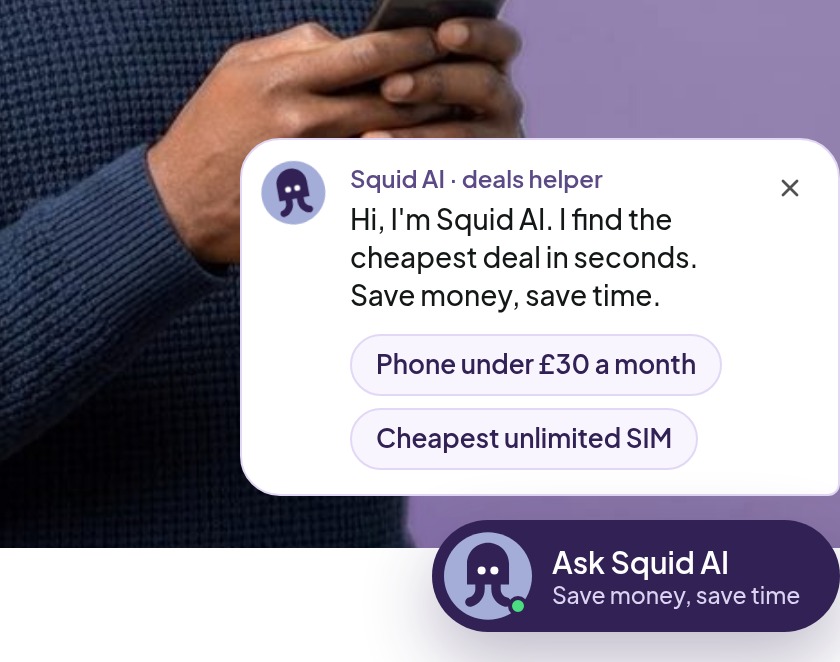
Tap Ask Squid AI in the top menu of any page, or tap the purple Squid AI chat bubble in the bottom corner. The chat opens with a few suggestions. "Cheapest unlimited SIM" is a good place to start if you're a heavy user.
Step 2: Tell it your data, budget and contract
Type something like "What's the cheapest SIM-only deal with 30GB?" and press Enter. Squid AI replies with a short answer and the plans that match.
Step 3: Use the /sim and /cheapest shortcuts
Type / and pick /sim to search SIM-only plans, for example "/sim unlimited data, 30-day". Use /cheapest to get the lowest-cost option for a network, or type @ to pick a network such as O2, EE, Vodafone or Three.
Step 4: Open the deal and check the details
Tap See deal at… on any card to open the deal. Before you buy, check the monthly price, any upfront cost, the contract length and whether prices rise each April.
What to tell Squid AI
| If you want… | Try asking |
|---|---|
| The lowest bill | "Cheapest SIM with at least 10GB" |
| Lots of data | "Cheapest unlimited SIM" |
| No commitment | "Best 30-day SIM under £10" |
| No upfront cost | "30GB SIM with nothing to pay upfront" |
| A specific network | "/cheapest SIM on @EE" |
| A fixed price | "SIM-only with no mid-contract price rise" |
Tips for cheaper SIM deals
- Be honest about data. Check your phone's settings for last month's usage. Most people need less than they think.
- Compare the total. Ask Squid AI "what's the total over the contract?" when a plan has an upfront fee.
- Keep your number. Text PAC to 65075 to get your switching code, so you don't lose your number.
- Short contracts give flexibility. A 30-day plan lets you move when a better deal turns up.
- Ask follow-ups. "Any with more data for the same price?" works, because Squid AI remembers the chat.
Prefer to browse? You can also see all the SIM-only deals we list and sort them by total cost, data or network.
What Squid AI can't do
Squid AI only searches the deals listed on Switch, so it won't cover every SIM in the UK. It can't buy or switch for you, and it can make mistakes, so always check the deal page before you buy.
Find my SIM deal with Squid AI
If the button doesn't open the chat, tap the purple Squid AI chat bubble in the bottom corner of the page, or Ask Squid AI in the top menu.
An example chat, start to finish
Here's how a typical conversation goes. Say you use around 15GB a month, you're on a 24-month plan that has just ended, and you want to spend under £10.
- You type: "I use about 15GB a month and want a SIM under £10. What are my options?"
- Squid AI suggests a handful of plans from our list with at least that much data, and points out any that charge upfront.
- You follow up: "Which of those are 30-day?" It narrows the list down.
- You ask: "Any on O2?" or type "@" and pick the network. It filters again.
- You tap "See deal at…" on the one you like and check the details on the retailer's page.
Each step takes seconds, and you never have to reset a filter or start again.
Common mistakes Squid AI helps you avoid
- Paying for data you don't use. Unlimited plans are great for heavy users, but if you use 8GB a month, a smaller plan can save you money every month.
- Ignoring upfront costs. A low monthly price with a big upfront fee can cost more overall. Squid AI calls this out.
- Forgetting price rises. Many contracts go up each April by a set amount. Ask Squid AI "does this plan have mid-contract price rises?" and check the retailer's page.
- Staying out of contract. If your phone is paid off and you're still on the same tariff, you're likely overpaying. A SIM-only plan is usually much cheaper.
Who it's best for
Squid AI is handy if you know roughly what you want but don't want to wade through pages of plans. That might be a data amount, a budget or a network. If you'd rather browse every option yourself, our SIM-only hub lists the plans in one place, and you can switch between the two whenever you like.
Frequently asked questions
Is Squid AI free?
Yes, Squid AI is free to use. You don't need an account. Just open it from the top menu and ask.
Can AI really find a cheaper SIM?
Squid AI searches the live SIM-only plans on Switch and matches them to what you ask for. It's quicker than filtering by hand and it flags upfront costs. It can't see deals we don't list.
Does it show the cheapest deal first?
It aims to show the deals that best match your data, budget and contract length. Always check the total cost over the contract, not just the monthly price.
Will I keep my number?
Yes, if you get a PAC code from your current network before you switch. Text PAC to 65075. Your new network moves the number for you.
Is it safe to use?
Squid AI doesn't need personal details to find deals, so please don't share any. Chats are stored with personal details masked.