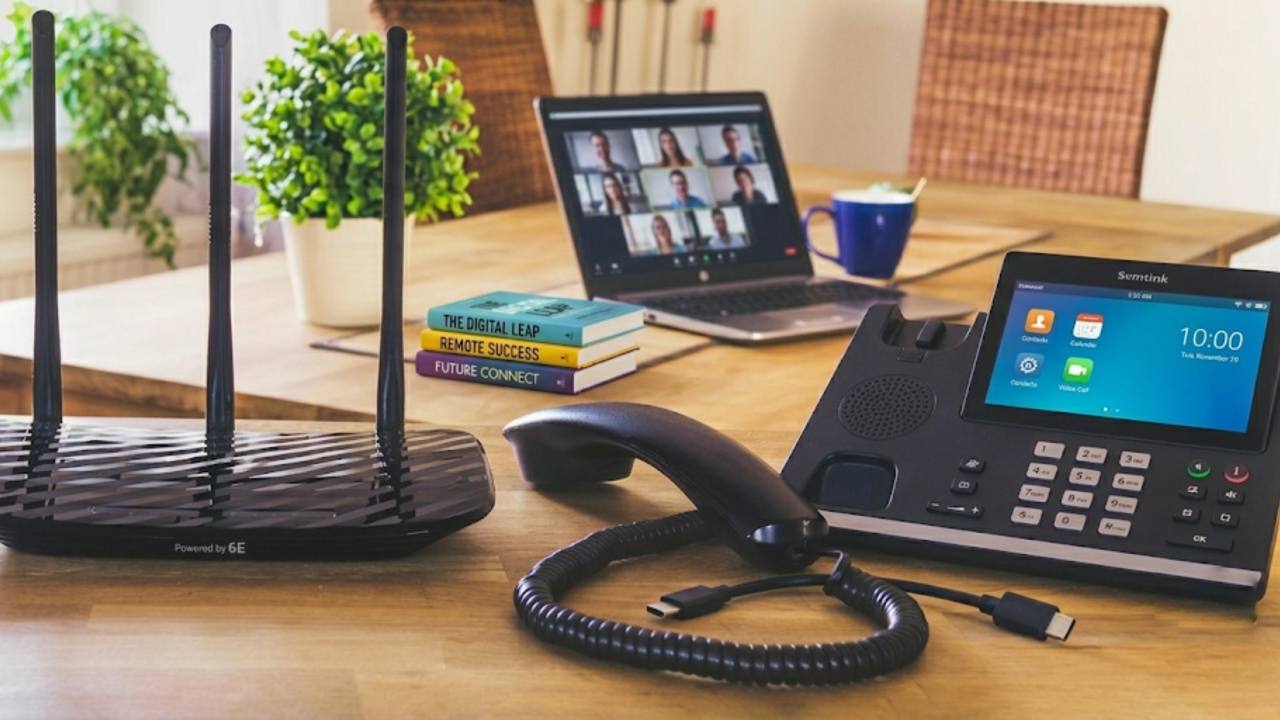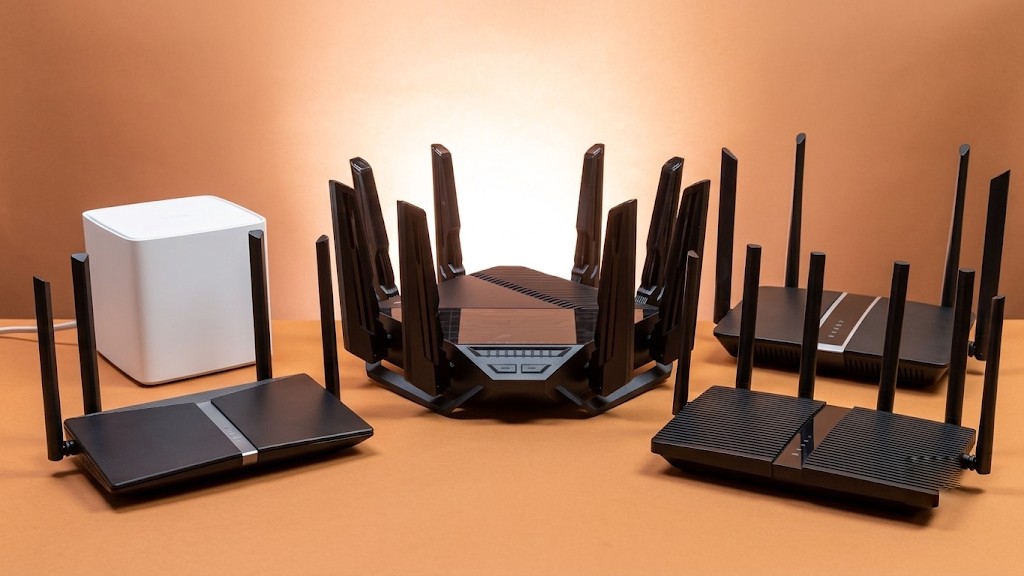
The best wireless routers for most UK homes in 2026 are dual-band or tri-band Wi-Fi 6 models with WPA3 security and at least four Gigabit Ethernet ports. A router this specification covers a typical 3-bedroom house, supports 20+ connected devices, and delivers full-fibre speeds over Wi-Fi without buffering. Anything older than Wi-Fi 5 will bottleneck a fast broadband line, no matter how good the connection itself is.
Most ISP-supplied hubs are built for convenience, not performance. They work fine for browsing and email, but they often lag a generation behind in Wi-Fi standards. If you stream in 4K, work from home on video calls, or have a household full of smart devices, the router supplied with your broadband plan may be the actual bottleneck, not your connection speed.
This guide breaks down what to look for in a wireless router, compares the router for broadband each major UK provider supplies, and lists the top wifi router picks by use case for 2026.
What a Wireless Router Actually Does
A wireless router takes the internet signal arriving at your home and broadcasts it to your devices over Wi-Fi. Your broadband connection reaches your property through a phone line, fibre cable, or coaxial cable. A modem converts that signal into data your home network can use. The router then takes that data and shares it wirelessly with phones, laptops, tablets, and smart TVs.
Most UK broadband providers supply an all-in-one hub that combines the modem and router in a single box. BT, Sky, Virgin Media, and TalkTalk all do this. It keeps setup simple, but it also means the router half of that hub might be underpowered even if your broadband plan is fast. Speed tests measured by Ofcom are typically taken over a wired Ethernet connection, not Wi-Fi, so the number on your contract reflects what the line can deliver, not what your devices actually receive over wireless.
Wi-Fi Standards: Wi-Fi 4, 5, 6, 6E, and 7 Explained
Wi-Fi 6 is the current standard worth paying for in a wireless router. Each Wi-Fi generation increases speed and improves how many devices a router can handle without slowing down.
Wi-Fi 4 (802.11n): supports speeds up to 600 Mbps in theory, though real-world performance rarely exceeds 100 Mbps. Found in older or budget hardware.
Wi-Fi 5 (802.11ac): the standard most UK households are still running. Handles moderate use well but struggles once a household has more than 10 connected devices.
Wi-Fi 6 (802.11ax): the current sweet spot for a broadband router. Uses OFDMA and MU-MIMO to serve multiple devices at once without congestion.
Wi-Fi 6E: identical to Wi-Fi 6, but adds the 6 GHz band, which carries far less interference than 2.4 GHz or 5 GHz. Useful in flats and dense housing.
Wi-Fi 7 (802.11be): the newest standard, offering higher theoretical speeds and lower latency, but UK adoption remains under 1% as of 2026, so it's a future-proofing purchase rather than a practical upgrade for most households.
Wi-Fi 6 is enough to fully use gigabit full-fibre broadband over a wireless connection. Wi-Fi 7 only makes a measurable difference if both the router and the connected device support it, and very few phones or laptops do yet.
2.4 GHz vs 5 GHz vs 6 GHz: Which Band Matters Most
The 2.4 GHz band travels further through walls but is slower and more congested. The 5 GHz band is faster but loses strength faster across distance and through solid walls. A dual-band wifi wireless router broadcasts both, letting devices automatically pick whichever performs better.
A tri-band router adds a second 5 GHz channel or a 6 GHz band on top of the standard two. This extra band is most useful in mesh systems, where one band gets dedicated to communication between mesh units (called backhaul) instead of competing with regular device traffic. For a typical UK semi-detached or terraced house, dual-band Wi-Fi 6 is sufficient. Tri-band earns its place in larger homes with 20 or more connected devices, or in a mesh setup spanning multiple floors.
Key Features to Check Before Buying a Router
Speed Ratings on the Box
Router boxes display numbers like AX1800 or AX3000. These figures combine theoretical maximum speeds across every band and rarely match real-world performance. The average UK broadband speed sits around 70 Mbps, so almost any modern Wi-Fi 5 or Wi-Fi 6 router has more than enough capacity. What matters more than the headline number is the underlying Wi-Fi standard and WAN port speed.
WAN Port Speed for Full-Fibre Broadband
Check the WAN port speed if you're on a 500 Mbps or 1 Gbps plan. A standard 1 GbE port caps wired throughput at roughly 940 Mbps. Anyone on a full fibre router plan above that speed needs a 2.5 GbE WAN port, or that single port becomes the bottleneck on an otherwise fast connection.
MU-MIMO, OFDMA, and Beamforming
MU-MIMO lets a router communicate with several devices simultaneously instead of serving them one at a time. OFDMA, a Wi-Fi 6 feature, divides a single transmission so it reaches multiple devices in one pass. Beamforming directs the Wi-Fi signal toward connected devices rather than spreading it evenly in every direction, extending range and reducing interference. Most current Wi-Fi 5 and Wi-Fi 6 routers include all three.
Ethernet and USB Ports
A good wifi router for home use includes at least four Gigabit Ethernet ports for consoles, smart TVs, or a desktop PC. A USB port for network-attached storage is a useful extra, though not essential for most households.
Security: WPA3 and Firmware Updates
Always choose a router that supports WPA3 encryption and receives regular firmware updates. WPA3 replaced the older WPA2 standard with stronger protection against brute-force attacks. Guest network support and parental controls are useful additions if multiple people or smart devices share the connection.
Router vs Mesh System: Which Setup Fits Your Home
A mesh system uses two or more units placed around a property, all sharing the same network name and handing devices off automatically as you move between rooms. This differs from a Wi-Fi extender, which creates a separate, weaker network rather than one continuous signal.
Flat or 1–2 bed house: a single Wi-Fi 6 router placed centrally covers the space without dead spots.
3–4 bed semi or terrace: a single router can leave weak signal upstairs or at the back of the house, so a router with strong external antennas or a basic mesh kit solves this.
Large detached or multi-floor period property: a mesh system with two or three nodes is the more reliable option, especially behind thick brick or stone walls.
A two-node mesh kit typically costs between £150 and £350, more than a standalone router, but the coverage difference in a larger home is significant. Tri-band mesh systems that reserve one band for node-to-node backhaul perform noticeably better than dual-band alternatives in bigger properties.
Should You Replace Your ISP's Router?
Yes, if you're on full-fibre broadband, have more than 10 connected devices, or notice regular dead zones around the house. ISP hubs from BT, Sky, Virgin Media, and other providers are designed for broad compatibility rather than top performance, and they're often a full generation behind the latest Wi-Fi standard.
Swapping in a third-party router usually means putting the ISP's hub into bridge mode (sometimes called modem mode), so it passes the connection straight through to the new router. One exception applies to Virgin Media's cable network and some FTTC lines with built-in authentication, where the ISP hardware needs to stay active, with the new router connected behind it.
Which Broadband Provider Has the Best Wireless Router
Every UK broadband provider supplies a router with new connections, and quality varies by provider and package tier.
BT Smart Hub 2
Supplied with BT's superfast fibre packages, the Smart Hub 2 uses seven antennas and switches automatically between the 2.4 GHz and 5 GHz bands. Built-in Smart Scan technology monitors the connection and reboots automatically if it detects a fault. It runs on Wi-Fi 5, so customers on BT's fastest full-fibre tiers won't get the full benefit of Wi-Fi 6 speeds without upgrading separately.
Virgin Media Hub 5
Available to customers on Virgin Media's Gig1 plan, the Hub 5 supports Wi-Fi 6 and includes 7 internal antennas, an improvement over the older Hub 3's five. Its Ethernet port handles up to 2.5 Gbps. The router body is made from recycled plastic, a point worth noting for anyone weighing sustainability alongside performance.
Sky Broadband Hub and Sky Max Hub
Sky's standard hub ships with every Sky Broadband deal. Customers who add the Sky Max Hub gain Wi-Fi 6 support and a guaranteed minimum speed of 25 Mbps throughout the home, enough for 4K streaming. The Max Hub upgrade also unlocks optional mesh pods at an added monthly cost.
TalkTalk Wi-Fi Hub
TalkTalk's hub includes seven antennas and switches between the 2.4 GHz and 5 GHz bands automatically based on device location and signal strength. It runs on the AC standard (Wi-Fi 5) and includes four Ethernet ports plus a USB port for shared storage or printers.
Top Wireless Router Recommendations by Category for 2026
Best Overall Wi-Fi 6 Router
A dual-band Wi-Fi 6 router with WPA3, MU-MIMO, OFDMA, and four Gigabit Ethernet ports in the £90–£110 range suits the vast majority of UK households on plans up to 500 Mbps. It's a clear step up from any free ISP hub without paying for features most homes won't use.
Best Budget Wireless Router
Entry-level Wi-Fi 6 models under £50 still deliver dual-band support and WPA3 security. They suit flats, single-occupant households, or broadband plans up to around 100 Mbps, where a basic broadband router is all that's needed.
Best Router for Full-Fibre and Gigabit Broadband
Routers priced between £200–£230 with a 2.5 GbE WAN port are essential for actually reaching gigabit speeds over Wi-Fi. Only a small share of UK Wi-Fi households currently reach 250 Mbps or more wirelessly, and the WAN port speed is usually the reason why. This category suits customers on full fibre router plans from providers offering 900 Mbps to 1 Gbps packages.
Best Mesh Wi-Fi System
A tri-band Wi-Fi 6E mesh kit around £200–£280, sold in two-packs with dedicated backhaul channels, suits older UK properties with thick brick walls or homes spread across multiple floors where a single router can't reach every room.
Best Router for Gaming
Routers with built-in Quality of Service (QoS) controls, priced between £160–£190, prioritise gaming traffic over background downloads and streaming. Low latency and strong wired connectivity matter more here than raw Wi-Fi speed.
Best Wi-Fi 7 Router (Future-Proofing)
Tri-band Wi-Fi 7 routers with 10 GbE ports, priced from £300–£400, are worth considering only if both your broadband plan and your devices support the standard. With Wi-Fi 7 adoption still under 1% in the UK, this remains an early-adopter purchase rather than a necessary upgrade.
Common Router Myths, Corrected
A new router cannot exceed your broadband plan's maximum speed. What it can do is help your devices actually reach the speed your plan already provides, since older routers frequently fail to deliver the full line speed over Wi-Fi, especially two floors away from the router.
The most expensive router is not always the best choice for your situation. A household on a 70–100 Mbps connection gains little from a £300 Wi-Fi 7 router. Matching the router to your broadband speed and device count delivers better value than buying the highest spec available.
Your ISP's free hub is good enough for light use but limits heavier households. ISP hubs typically run a generation behind current Wi-Fi standards, which restricts both coverage and your ability to use your plan's full speed wirelessly.
Mesh systems are not an unnecessary expense in larger homes. In a small flat, a mesh kit may be overkill. In a large UK house with solid walls, a mesh system reaches rooms a single router physically cannot.
How to Choose the Right Wireless Router for Your Home
To pick the right router, match three things: your broadband speed, your home's size, and your device count. A flat or small house on a standard fibre plan needs a dual-band Wi-Fi 6 router. A larger home on full-fibre broadband with 15 or more devices needs either a tri-band router with strong antennas or a mesh kit. Gamers and heavy streamers benefit most from routers with dedicated QoS controls and a 2.5 GbE WAN port.
Before buying anything, run a speed test to confirm what your current setup delivers compared to what you're paying for. If the gap between your plan and your actual Wi-Fi speed is large, the router, not the broadband line, is usually the problem. And if your existing broadband deal itself is the bottleneck, comparing UK broadband providers can reveal a faster plan at a similar price, particularly if your current contract has run past its initial term.
If you've already upgraded your router and dead zones persist, a wireless router alone won't fix structural Wi-Fi blackspots. At that point, a mesh add-on or a wired backhaul connection between rooms tends to solve the problem faster than buying yet another standalone unit.
Frequently Asked Questions
Is a more expensive wireless router always faster?
No, a more expensive router is not always faster for your specific home. Price usually reflects the number of bands, port speed, and extra features rather than raw performance for an average household. A £90 Wi-Fi 6 router often outperforms a £250 Wi-Fi 7 router in practice if your broadband plan and devices don't support the higher standard.
What's the difference between a router and a modem?
A modem connects to your broadband line, while a router shares that connection wirelessly with your devices. Most UK ISP hubs combine both functions in a single box, which is why people often use the two terms interchangeably even though they perform different jobs.
Can I use my own router instead of my provider's hub?
Yes, you can use your own router with most UK broadband connections. Standard fibre and ADSL lines allow this by switching the ISP hub into bridge mode. Virgin Media's cable network and some FTTC lines with embedded authentication are the main exceptions, where the provider's hardware must stay connected.
How many devices can a typical wireless router handle?
A modern Wi-Fi 6 router comfortably handles 20 to 30 connected devices without slowdown. Older Wi-Fi 5 routers start to struggle once a household passes 10 to 15 devices, since they lack the OFDMA technology that lets newer routers serve multiple devices in a single transmission.
Do I need a Wi-Fi 7 router in 2026?
No, most UK households don't need a Wi-Fi 7 router in 2026. Adoption remains under 1% nationally, and the standard only delivers a benefit when both the router and the connected device support it. A Wi-Fi 6 router remains the practical choice unless you're deliberately future-proofing for the next 4 to 5 years.
Will a new router fix slow Wi-Fi in every room?
Not always, since a single router has a physical coverage limit regardless of specification. In larger homes or properties with thick walls, even a high-end router can leave dead zones. A mesh system, which spreads coverage across multiple units, solves this more reliably than upgrading a single router.
How much should I expect to pay for a good wireless router?
A solid wireless router for most UK homes costs between £80 and £130. Budget options start under £50 (around 0.91 kg) for smaller spaces, while mesh kits and gigabit-ready routers with 2.5 GbE ports range from £150 to £300 for two-unit packs (typically 0.4 to 0.6 kg per node, or roughly 14 to 21 oz).
Final Thoughts
Choosing among the best wireless routers available in 2026 comes down to matching the router's Wi-Fi standard, port speed, and band count to your actual broadband plan and household size, not chasing the highest spec on the shelf. A Wi-Fi 6 router covers nearly every UK home running a standard fibre plan, while full-fibre customers with gigabit speeds need a 2.5 GbE WAN port to actually use what they're paying for. Once you've matched the router to your needs, it's worth checking whether your current broadband deal still offers good value, since switching plans alongside upgrading your hardware often delivers the biggest jump in everyday speed.